Employee Component
What is an Employee Component?
An employee component can be used to select certain employees as a form answer, which would be useful in internal forms such as staff enquiries.
How do I create an Employee Component?
To create the Employee Component, find the form you wish to add the component to, and add an item in your intended position. Then, select ‘Component’ as the item type, and ‘Employee’ on the dropdown list:
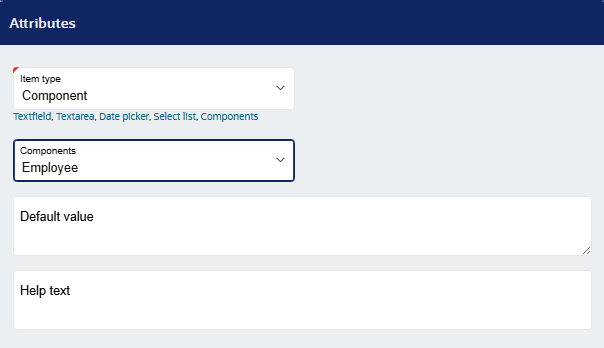
Next, configure the item, selecting "Required" under Validation if you want to ensure that users select an employee. If the form is most likely going to be used for internal purposes only, it is advised that the access level is set to only "users".
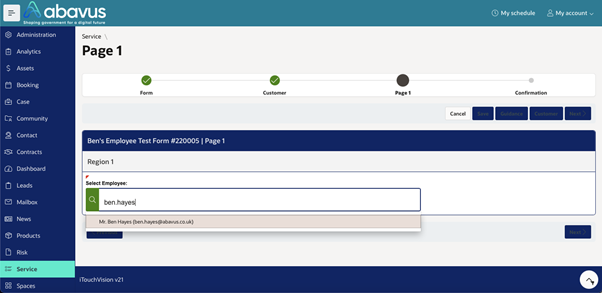
Now, when a user fills out this form, they would type the name (or email) of the employee, which should then appear as a selectable option for the user.
Was this article helpful?
That’s Great!
Thank you for your feedback
Sorry! We couldn't be helpful
Thank you for your feedback
Feedback sent
We appreciate your effort and will try to fix the article