Join Group Component
What is the Join Group Component?
The Join Group component can be used to allow submitters to sign up to a notification group. This can be used in forms, such as waste forms, to allow submitters to receive notifications for waste schedules, for example.
How do I configure a Join Group Component?
Go into Forms Builder, select the appropriate form, and add a new Item.
Set the Item Type to "Component” and select the "Join Group" component from the list.
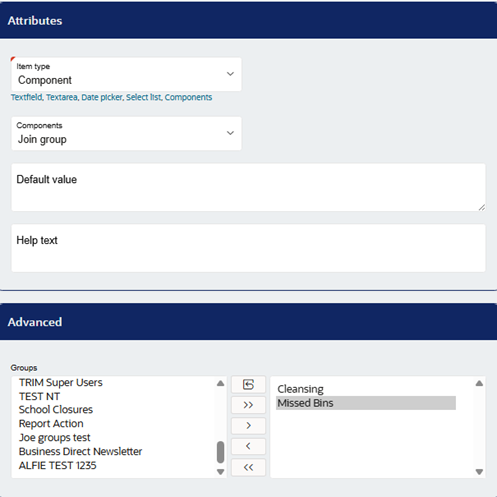
Scroll down to the Advanced settings (as shown above) and select the relevant notification group(s). These groups will display for users to opt-in to when filling out the form. Then, save and publish the form.
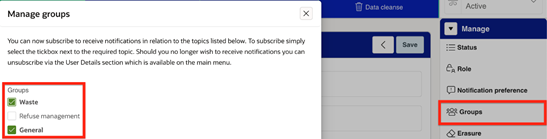
When users now access this form, they will be able to join the notification groups by ticking them and will receive relevant updates.
If you need to view and manage notification group subscriptions, you can do so under the user's profile in the Community Module.
Was this article helpful?
That’s Great!
Thank you for your feedback
Sorry! We couldn't be helpful
Thank you for your feedback
Feedback sent
We appreciate your effort and will try to fix the article