Introduction
About this guide
Exception Days are days when waste collection services are limited or suspended. Examples of this include bank holidays, Christmas Day, and Boxing Day.
Each Exception Day applies automatically to the collection schedules or rounds you specify. This lets you configure exceptions for the relevant waste collection services.
Creating Exception Days
Configuring Exceptions
Before you begin, create the exceptions you need before creating schedules on bookable items.
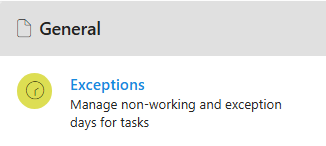
To configure an exception day, go to Administration > General > Exceptions.
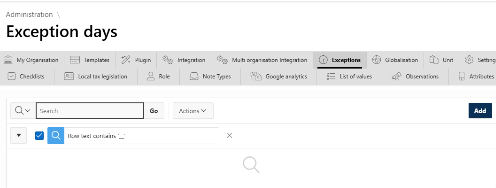
Then, click ‘add’ at the top right of the page.
On the screen that appears, select the Collection Type or Round Number to which the Exception Day will apply.
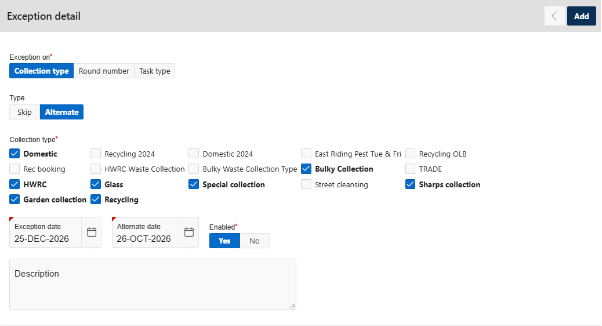
You can select more than one Collection Type or Round Number if required.
Choose the exception type according to what needs to happen on the Exception Date:
Skip – The waste collection services are not generated for the selected ‘Exception date’ day.
Alternate – The collection services are moved from the ‘Exception Date’ to the ‘Alternate Date’.
To save the configured Exception Day, click ‘add’ at the top right. The saved exception applies automatically to the collection types or rounds you selected.
Was this article helpful?
That’s Great!
Thank you for your feedback
Sorry! We couldn't be helpful
Thank you for your feedback
Feedback sent
We appreciate your effort and will try to fix the article