Introduction
About this guide
This guide has been created to explain the functionality of the Me or Someone Else component, and the purpose of each of the configuration options on the component.
Purpose and General Behaviour
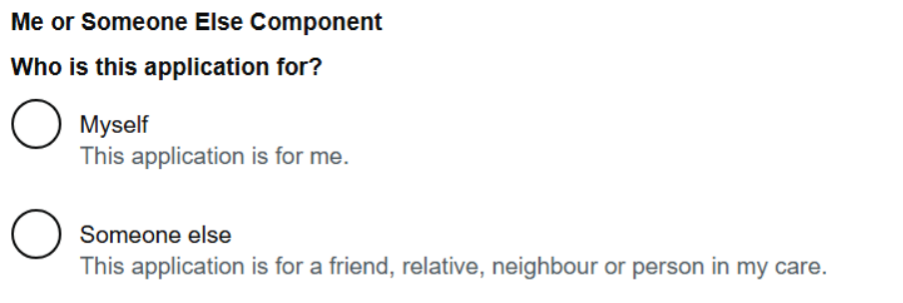
This component is split into two different functions: Me or Someone Else. This allows for situations where the submitter of the form is not necessarily the subject of the enquiry or application, such as Blue Badge forms. When the submitter encounters the component, they will be asked who the application is for:
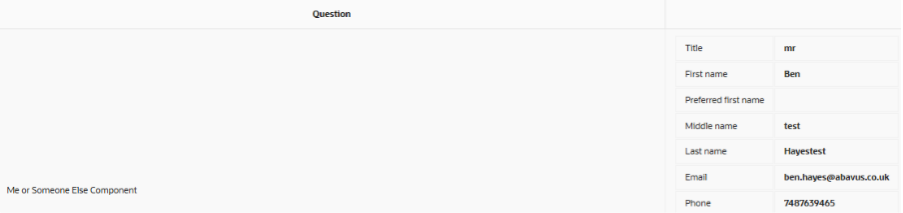
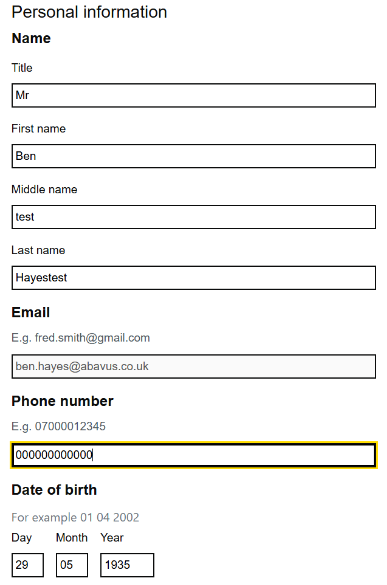
If ‘Myself’ is selected, the Personal Information Items appear, which fill automatically (if logged in when submitting the form). This allows for details to be easily filled. When submitted, the Component will store the data in the SR’s summary, as shown here:
If ‘Someone else’ is selected, as list of the submitter’s relationships (with other accounts) will appear. Relationships can be edited via the ‘Personal Information’ option on the submitter’s GDS portal or are created when the Me or Someone Else component has been used in the past.
If an account from the relationship list is selected, this account has some of its details transferred over to the SR’s information:
First Name
Last Name
Relationship to Submitter
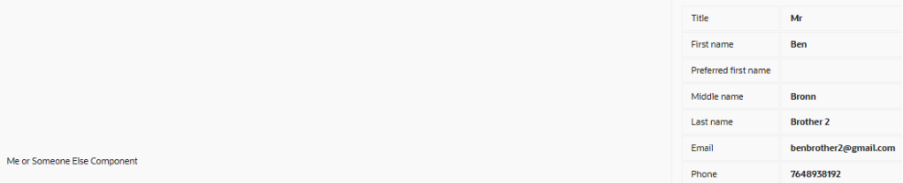
If ‘none of these’ is selected, the component allows you to create a new relationship. Like the ‘Myself’ option, the Personal Information Items will appear on the SR’s Summary:
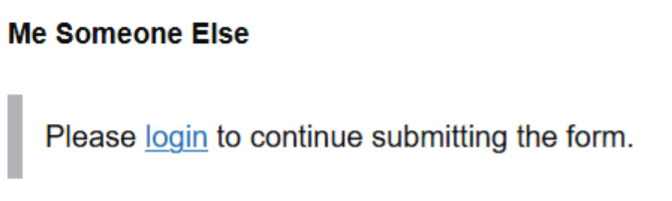
The Me or Someone Else component is only available on the v5 portal to logged in users. If an anonymous user is to encounter this component, the following screen appears, urging the guest to log in to complete the component:
Configuration Options
Advanced
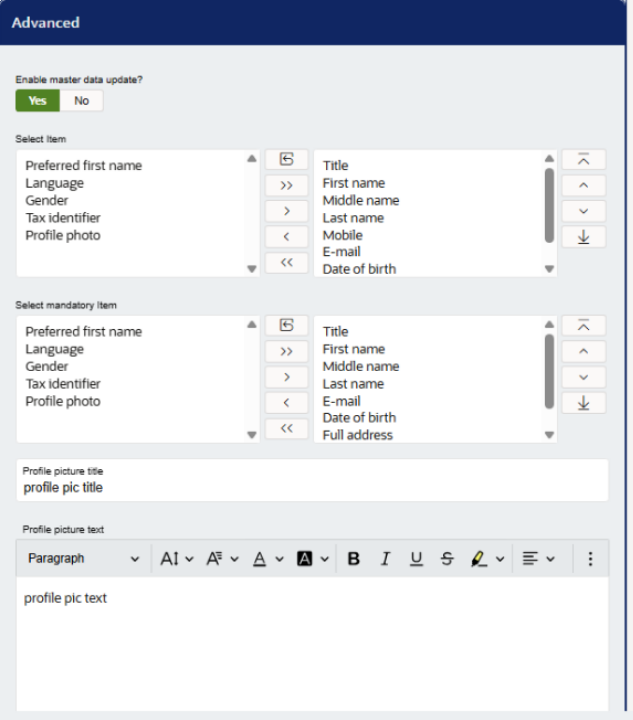
Enable Master Data Update – This, when enabled, will update the account’s information when values in the ‘Personal Information’ items are updated on the plugin. If this is disabled, any changed information will only apply to the SR.
Select Items – Here, you can drag the Personal Information items that you want to include in the component. These will appear when selecting ‘Myself’ or ‘None of these’ when selecting ‘someone else’
Select Mandatory Items – This allows the form builder to select which of the Personal Information Items are mandatory. For example, if a Blue Badge application needs a date of birth to check ages, the Date of Birth item should be mandatory.
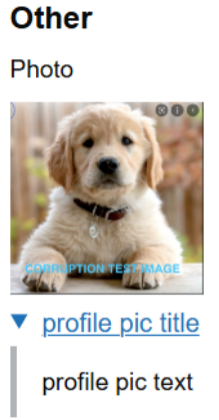
Profile Picture Title and Profile Picture Text – These options will only display if the ‘Profile photo’ option is selected in the previous options, and presents as a dropdown in the following way:
Validations
is Required
If this is enabled, the Me or Someone Else component must have an answer for the submitter to proceed to the next page.
Validation Type
This is more often used for textfields and textareas, and do not necessarily apply to Me or Someone Else Components.
Error Message
This is the message that will appear when the submitter attempts to go to the next page without entering any information into the Me or Someone Else component.
If you have any other questions regarding the file pickers and their use cases, please consult isupport@abavus.co.uk .
Was this article helpful?
That’s Great!
Thank you for your feedback
Sorry! We couldn't be helpful
Thank you for your feedback
Feedback sent
We appreciate your effort and will try to fix the article