Introduction
About this Guide:
This guide has been written to explain the standard behaviour and configuration options of the Advanced File Picker. The advanced file picker is selectable under Components. Only one can be used once per form. If multiple file pickers are required, the File Picker is recommended.
File Picker Configuration
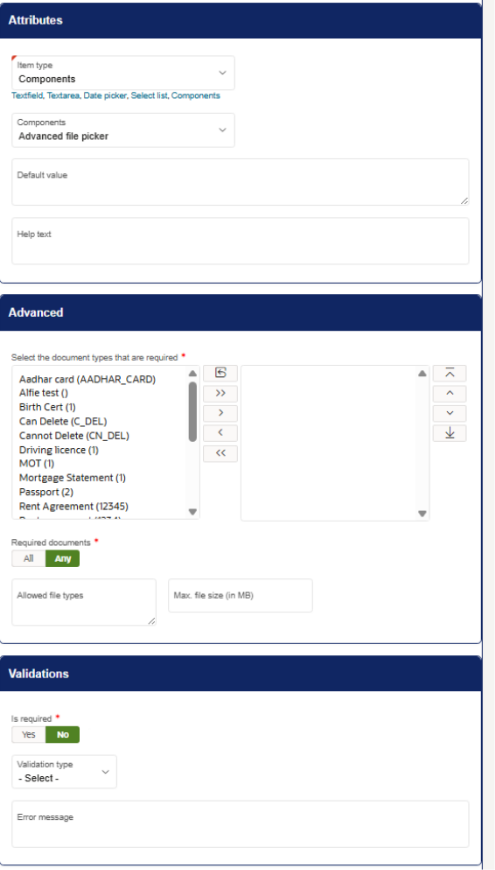
Advanced
Document Type
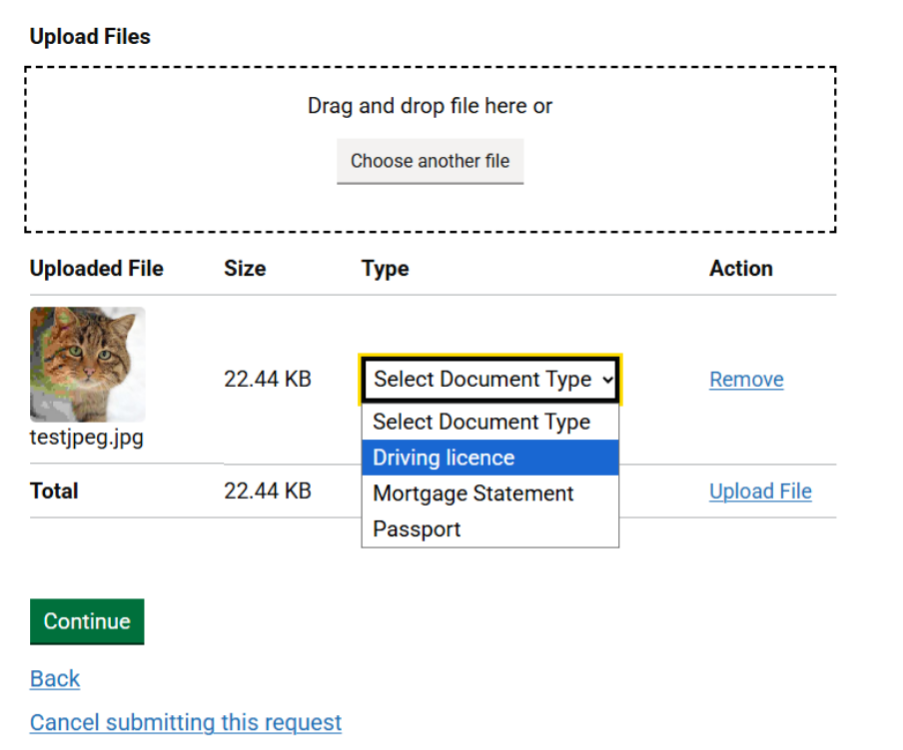
In the swap menu, there are document types that can be configured to sort the uploaded files. When a file is selected, you must choose a type for the file before it can be uploaded. For example, I have selected document types ‘Driving licence, Mortgage Statement and Passport’ as shown below:
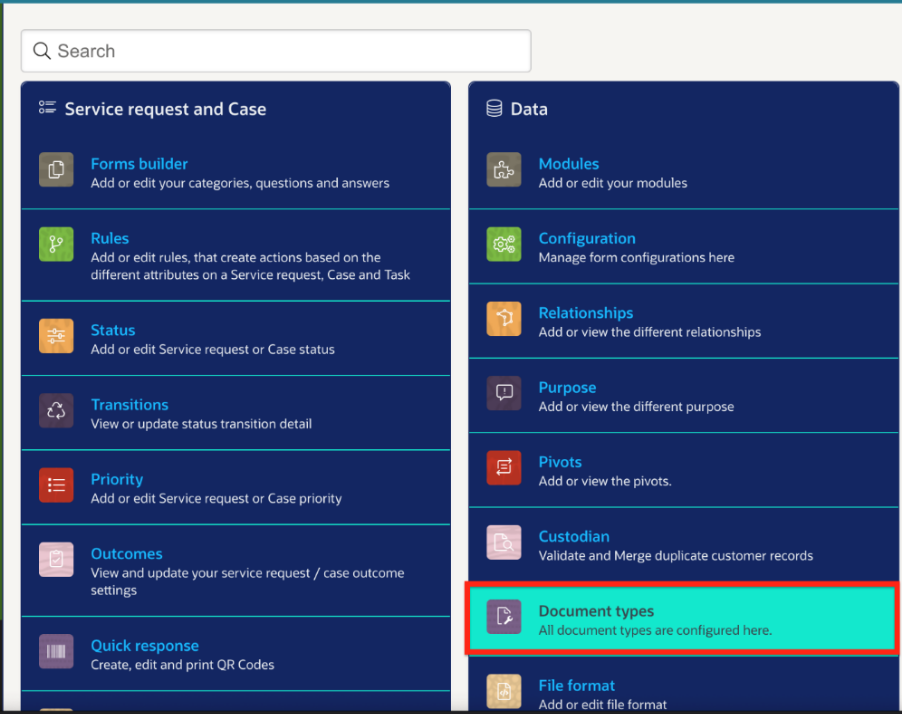
You can add Document Types to the Advanced File Picker via Administration -> Data:
Required Documents
If selected to All, (and validation is set to yes) every document type selected on the above drag menu must be uploaded by the submitter. If set to ‘any’ any of the configured document types that are selected on the drag menu can be selected.
Allowed File Types
This feature allows you to dictate what file types are allowed to be uploaded. This option is configured by listing the file types, such as below:

Any file type that does not match this menu will be greyed out upon selection, and cannot be selected or dragged onto the advanced file picker.
Please note that executable files cannot be uploaded under any circumstances due to security reasons.
Max. File Size
This option allows you to configure a maximum file size, in MB. If left undefined, the limit is approximately 500MB.
Validations
is Required
If this is enabled, the advanced file picker must have an answer for the submitter to proceed to the next page.
Validation Type
This is more often used for textfields and textareas, and do not necessarily apply to advanced file pickers.
Error Message
This is the message that will appear when the submitter attempts to go to the next page without entering any information into the file picker.
Comparison - File Pickers and Advanced File Pickers
File Categorisation
One notable difference between file pickers and advanced file pickers is that the files can be categorised by the submitter on an advanced file picker. On a regular file picker, the Document Type, if configured, is set to one document type, set by the form builder.
Trans-Modular Attachment Storage
Another difference is that files uploaded through Advanced File Pickers can be saved directly to the following places as per configuration:
Service – Documents saved on the form will appear on the SR
People (Community) – Documents will be saved to the profile of the submitter (as per the below example)
People (Education) – Documents are saved to the submitter’s profile under the Manage > Education page.
Once the Save Against setting has been configured, a drag menu will allow you to select the document types that the submitter can select from.
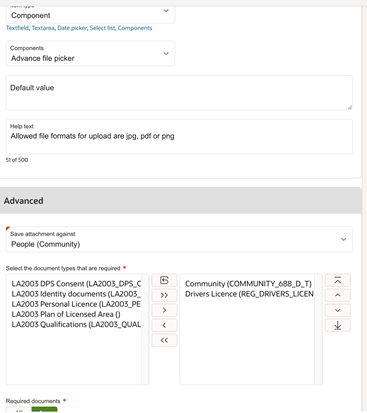
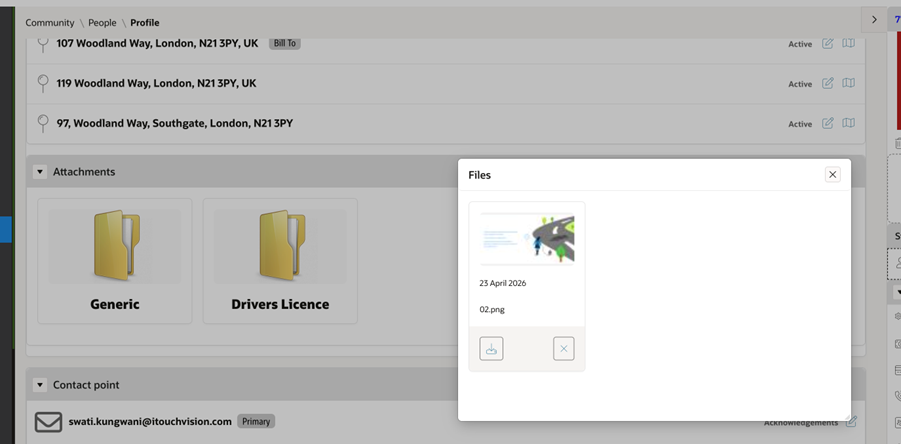
This can be used when attachments from Forms need to be associated with the customer account, such as Driver’s Licenses (for Community – People) or a Certificate (for Community > Education).
The default behaviour of Advanced File Pickers is to save the attachment against the Service Request.
If you have any other questions regarding the file pickers and their use cases, please consult isupport@abavus.co.uk .
Was this article helpful?
That’s Great!
Thank you for your feedback
Sorry! We couldn't be helpful
Thank you for your feedback
Feedback sent
We appreciate your effort and will try to fix the article