Why has this Service Request failed to print?
If you have ever proceeded to print a Service Request and been met with a blank white page, you may have wondered why the Service Request had failed to print.
The reason for this is because the Service Request’s form does not have a print layout configured against it.
How do I fix this?
To remedy this, go to Administration > Service Request and Case > Forms Builder.
From here, go to the affected form, and click on the form:
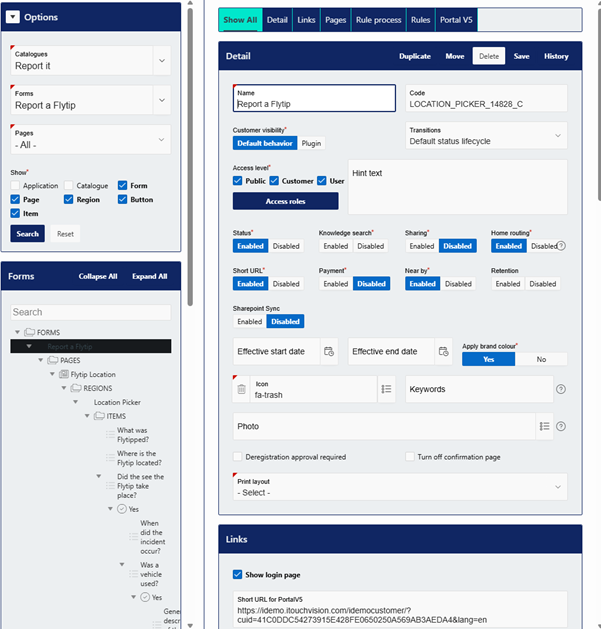
On ‘Print Layout’ select your print layout:

Once this has been selected, save the form.
Now, when you go to a Service Request, and click on action > print, the Service Request will be downloaded as a file according to the Print Layout you have configured.
If you need more information on Print Layouts, or if this please refer to our designated guide here:
Was this article helpful?
That’s Great!
Thank you for your feedback
Sorry! We couldn't be helpful
Thank you for your feedback
Feedback sent
We appreciate your effort and will try to fix the article