Feedback feature
1. Overview
Portal V5 introduces a standardised page-level feedback feature, enabling users to provide quick feedback from any page across the portal.
This feature follows the GOV.UK “Is this page useful?” design pattern, ensuring a familiar, accessible, and low-friction experience for end users while providing actionable insights for administrators and content owners.
The feedback capability is intentionally lightweight:
- No forced authentication
- No disruption to user journeys
- Minimal configuration effort
- Centralised reporting
2. Feature Benefits
For End Users
- Simple, one-click feedback
- Optional detailed feedback only when needed
- Accessible and non-intrusive
- Available on every page
For Administrators & Content Owners
- Clear visibility into content usefulness
- Early detection of broken or confusing pages
- Evidence-based improvement decisions
- Consistent reporting across the portal
3. End-User Experience (What Users See)
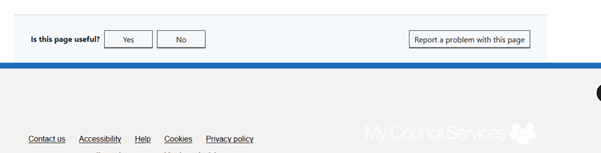
At the bottom of every page, users will see:
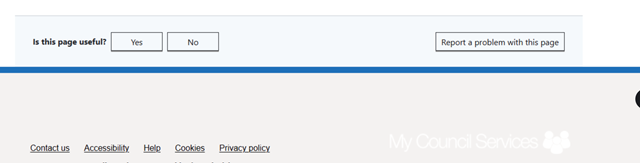
User Interaction Paths
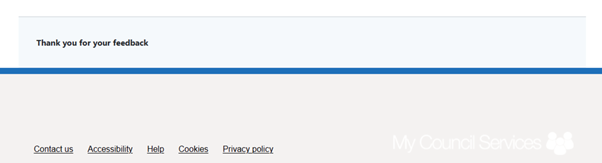
Yes
- Feedback is recorded immediately
- A confirmation message is shown
- No further input required
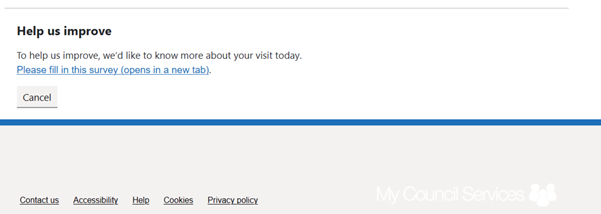
No
- A message is displayed with a link to a feedback form
- The form opens in a new tab
- Users can answer administrator-configured questions
- Responses are stored for reporting
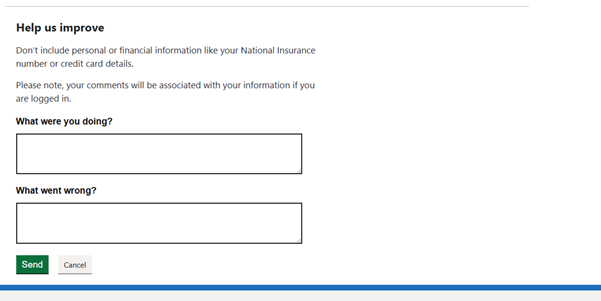
Report a problem with this page
- Inline questions expand on the same page
- Intended for reporting:
- Broken links
- Errors
- Missing or incorrect information
- Submitted responses are recorded centrally
4. Configuration Steps (Administrator)
It is simple to set up with a couple of configurations as mentioned below:
4.1 Enable Feedback Globally
Navigate to:
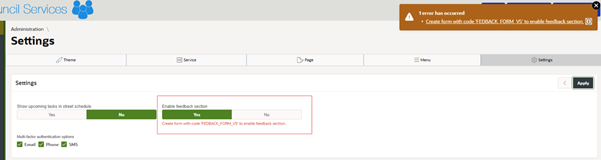
Administration → Portal V5 → Settings → Feedback
Enable Feedback Section = Yes
This enables the feedback component across the entire portal.

4.2 Configure the Feedback Catalogue
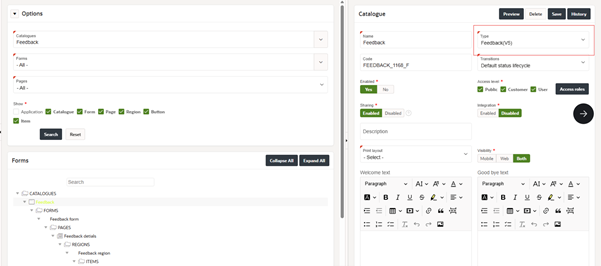
- Create a new catalogue
- Set Type = Feedback (V5) from the dropdown list
Important constraints
- Only one catalogue of type Feedback (V5) is allowed per organisation
4.3 Configure the Feedback Form
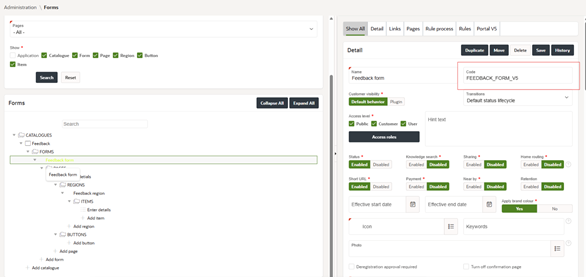
- Under the Feedback catalogue, create a new form
- Set the Form Code = FEEDBACK_FORM_V5
Mandatory rules
- The form code must be exactly FEEDBACK_FORM_V5
- Only one form with this code is supported
- This form is used to map responses to feedback reports
- Short URL must be enabled for this form
Form Design Recommendations
- Keep the form simple
- Avoid complex components
- Use minimal, clear questions
- Free-text fields should be optional where possible
This form is used when users select “No” on the feedback prompt.
Once all these configurations are in place, the end-user will be able to see the feedback section across the portal.
5. Reporting & Analytics
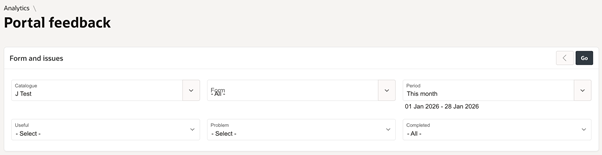
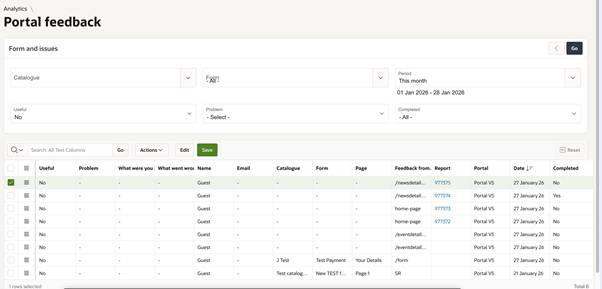
Feedback submissions are available via:
Administration → Analytics → Portal Feedback
Reporting Capabilities
- Filter by date, page, feedback type
- View Yes / No / Report problem responses
- Review free-text comments
- Sort records as required
- Mark feedback as Completed once actions are taken
This enables teams to:
- Track trends over time
- Identify problematic pages
- Close the feedback loop
6. Governance & Best Practices
- Review feedback reports regularly
- Use “Completed” status to track resolved issues
- Periodically review the feedback form questions
- Avoid using feedback as a customer support channel
- Treat free-text responses as potentially sensitive data
7. Summary
The Portal V5 Feedback feature provides a consistent, GOV.UK-aligned mechanism for collecting page-level feedback across the platform.
With minimal setup, administrators gain:
- Continuous insight into user experience
- Scalable, centralised reporting
- A low-maintenance feedback loop that supports ongoing improvement
Was this article helpful?
That’s Great!
Thank you for your feedback
Sorry! We couldn't be helpful
Thank you for your feedback
Feedback sent
We appreciate your effort and will try to fix the article