Introduction
About this guide
This guide has been written to explain the note functionality on Service Requests.
Customers can add notes to Service Requests that they have submitted, view Administrator notes (if configured with customer access), and reply to these notes. This allows for efficient communication between Customers and Administrators.
Prerequisite - Customer Note Type
Creating the Customer Note Type
Firstly, to allow customers to leave notes on their own Service Requests, a note type must be configured.
Go to Administration > General > Note Types and click ‘add’.
Next, select the Type of the note type as ‘Service’. Create a name for this type (which will be visible on top of the note).
Then, tick ‘customer’ under the Access Level settings. Click ‘add’ to reveal the code for this Note Type, and replace this code with the following:
CUSTOMER_PORTAL_NOTE
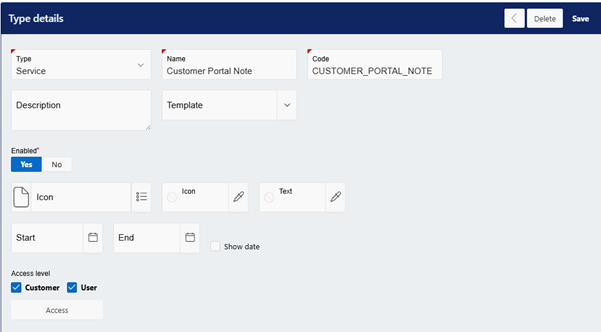
Then, click ‘save’.
When a customer adds a note, or replies to an administrator note, this note type will be used.
Customer Portal
Customer Experience
When a Service Request is submitted, customers can click on My Reports > Service Request.
Any notes attached to the Service Request that have a note type with customer access enabled will be viewable by the customer under the ‘Notes’ section.
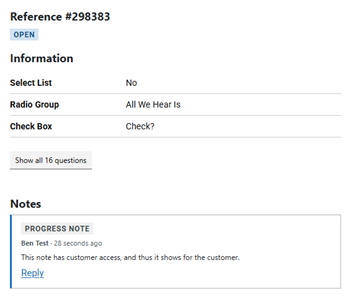
The customer can reply to these notes. Note replies are treated as child notes to the original parent note, showing under the parent note:
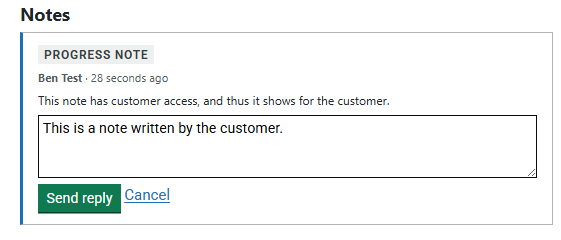
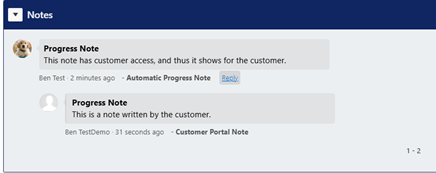
Additional replies can be added to this parent note if required, allowing for communication between the Administrator and Submitter.
Email Notifications
Note Notifications
Certain rules can be set up to alert the Administrator and Customer when notes have been added to the Service Request.
Administrator Alerts
By having a rule with the following conditions, Administrators can be alerted when customers add notes to a Service Request:
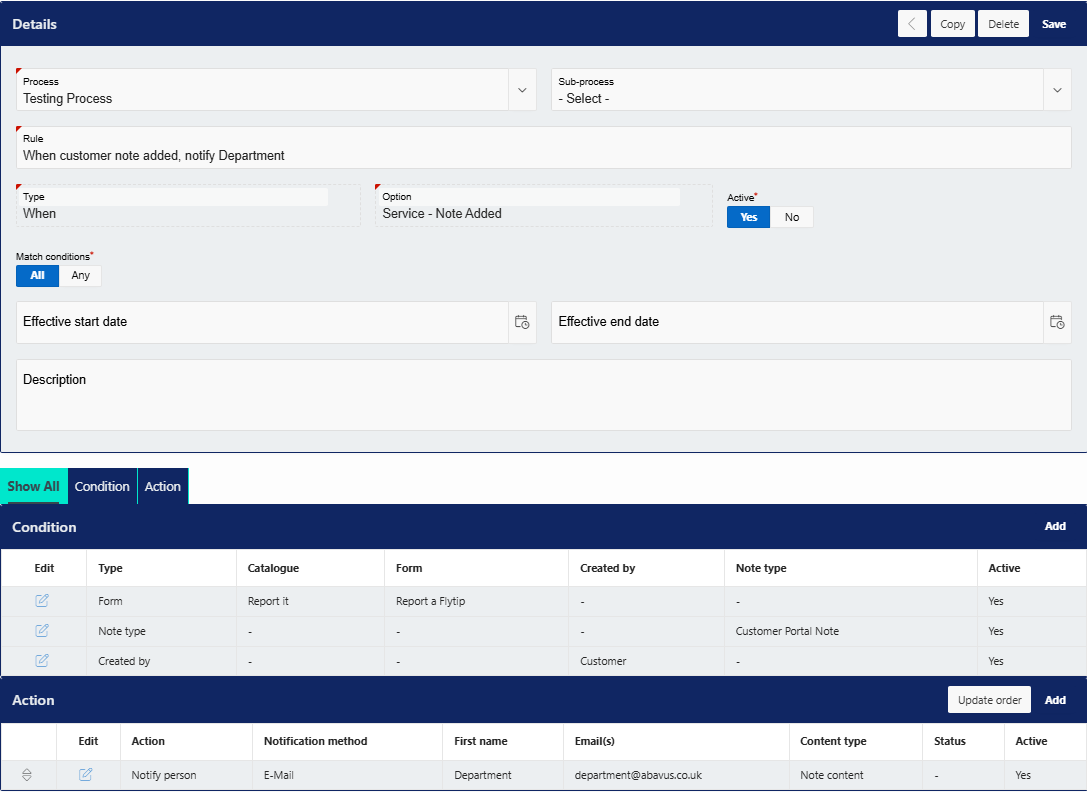
For the form condition, input the forms in which you want this rule to fire on. Also, configure the Note Type as the customer note type you have configured earlier in this guide.
If the Service Requests have owners, you can substitute the ‘notify person’ action for a ‘notify owner’ action. More conditions and actions may be added if required.
Customer Alerts
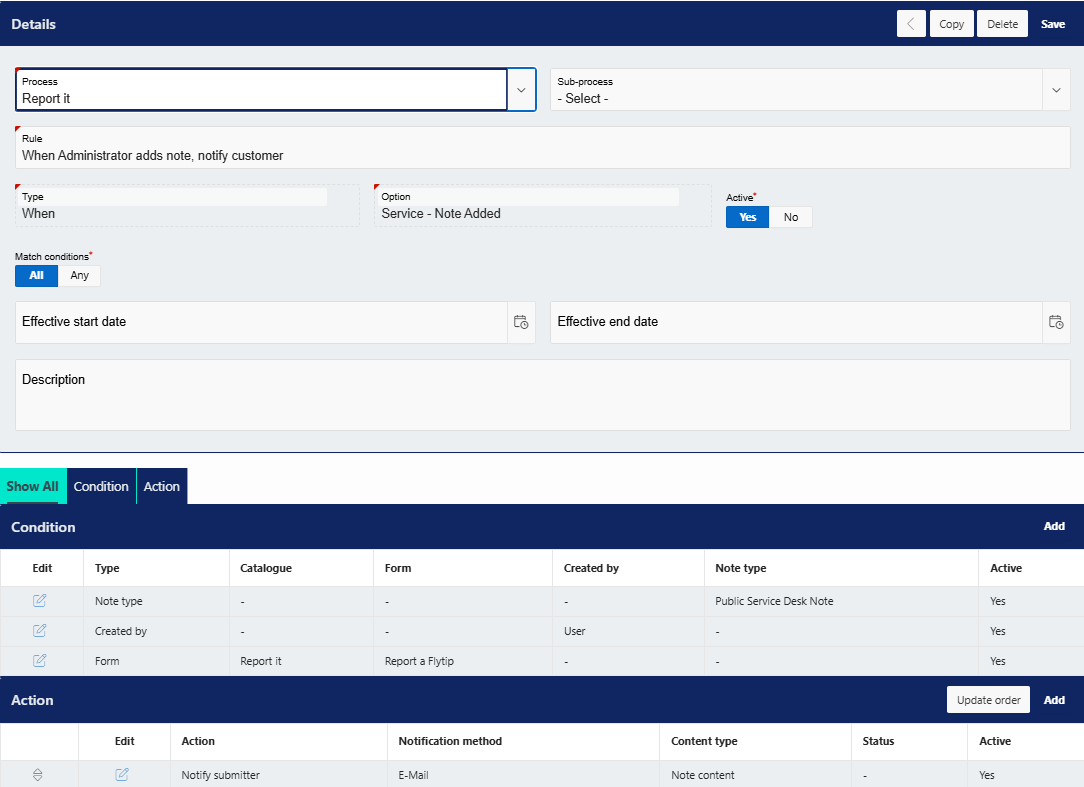
Customers can also be alerted when an Administrator adds a note to an SR with the following rule:
Was this article helpful?
That’s Great!
Thank you for your feedback
Sorry! We couldn't be helpful
Thank you for your feedback
Feedback sent
We appreciate your effort and will try to fix the article